Turbo C++ v4.5 On Windows 7/Windows 8
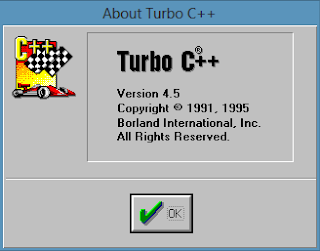
Turbo C++ is the C,C++ compiler used in many schools , colleges & Universities. There are mainly two versions of Turbo C++ ie., Turbo C++ 3.0 , which is in the blue screen & Turbo C++ 4.5 Which is improved & enhanced version of Turbo C++ . Many of the students got confused which compiler has to be used for learning C++/C . Now , We're going to provide you which is the better version of Turbo C++ & its installation steps.
Turbo C++ 3.0 has been used by many C++/C programmers , since it is old compiler. With the introduction of the new technology it has undergoes different disadvantages.
1. It Losses its Compatibility on newer Operating System , since it was 16-bit application.
2. If you Run it using DOS-BOX on newer machines , then you suffer mouse freeze problem.
3. It has outdated error handling techniques.
4. It suffers enough problem while executing file handling, exception Handling.
So , being a programmer you should shift to an advanced version of Turbo C++ ie., Turbo C++ 4.5 . It has various advantages.
1. Improved Error Handling Techniques, Compiler Can easily handles it.
2. Compatible with newer machines ie., Windows 7/Windows 8.
3. No Need of DOS-BOX , since it is 32/64 bit supported application.
4. Easy to use for handling files & exceptions.
INSTALLATION STEPS OF TURBO C++ :
To install Turbo C++ on your Pc follow these steps:- Download Turbo C++ 4.5 from here.
- Now extract the .zip file with WinRAR or 7zip extractor.
- After Going to Inner folder locate install.exe , Double click on it & start the installation.

- Install the Turbo C++ 4.5 on your primary partition.
- To Run Turbo C++ 4.5 , if you have install it on C:/ then open C:/TCWIN45/BIN/TCW.exe


Enjoy ! The Official Latest Compiler for C & C++!


does it work in full screen mode?
ReplyDeleteYes, it work in full screen mode.
Deletethnx for sharing!
ReplyDeleteNICE ^^ thanks a lot :D
ReplyDeleteit does't work on windows 8 64 bit
ReplyDeleteme too
Deleteplease upload the programe on mediafire
ReplyDeletewhy i cannot get it?
ReplyDeletecan you help me?
Will it work in win 7? hw'll i dnload it?
ReplyDeletedoesn't work in 64-bit :(
ReplyDeleteit doesn't work on windows 8 64 bit...
ReplyDeleteit doesnot work in win 8 64-bit
ReplyDeleteit doesnot work in win 8 64-bit
ReplyDeleteahmed.hakem66@gmail.com
ReplyDeleteFile Cannot downloaded
ReplyDeletehello,, my computer (64-bit). whether this application can not be installed on Windows 7 64-bit? and if possible, I beg your help.
ReplyDeletethank you
how to make this application can run on my computer
ReplyDelete(Windows 7 64-bit)
please help. . .
thank you. . .
i installed it but not able to open bin.exe it says error. can u help ?
ReplyDeletehow to download
ReplyDelete